128-bit Encryption
Please follow the steps illustrated below to determine
if you have 128-bit encryption enabled.
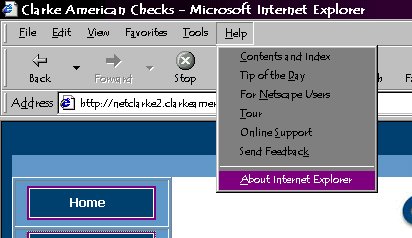
Step 1
- Click on the "Help" pull-down menu.
- Select "About Internet Explorer"
|
|
|
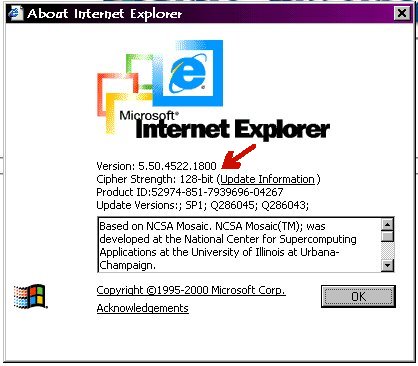
Step 2
- If the "Cipher Strength" line reade "128-bit", Click OK.
- If the "Cipher Strength" line does NOT read "128-bit,"
please click on the "Update Information" link. This will
open the Microsoft Web Site with directions for upgrading
the encryption of your browser.
|
|
|